590 MB To GB
Convert 590 MB to GB with an instant result, the exact formula, and helpful examples for nearby values.
Nearby MB to GB Pages
Related Converters
590 MB To GB
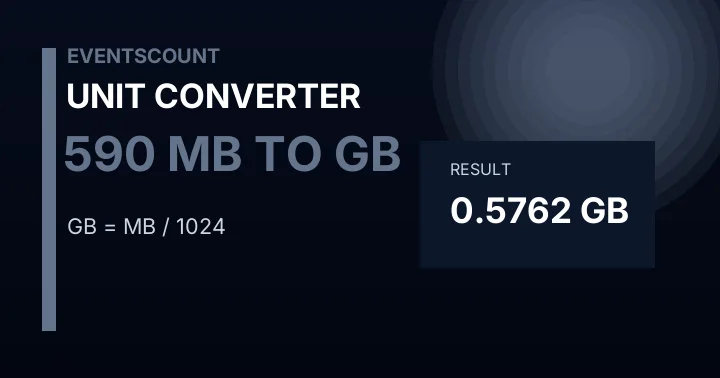
590 MB is 0.5762 GB. This digital conversion is useful for file sizes, internet speeds, downloads, uploads, storage plans, and device comparisons.
What is 590 MB in GB?
590 MB is 0.5762 GB. This answer uses the same formula as the calculator above, so you can change the input value and compare nearby conversions without leaving the page.
Formula
For this conversion, use: GB = MB / 1024. Enter any value above and the calculator applies the same formula automatically.
MB to GB Examples
The table below stays close to 590 instead of repeating the same generic examples. That makes it easier to compare nearby data values from megabytes to gigabytes.
| Megabytes | Gigabytes |
|---|---|
| 540 MB | 0.5273 GB |
| 565 MB | 0.5518 GB |
| 580 MB | 0.5664 GB |
| 585 MB | 0.5713 GB |
| 589 MB | 0.5752 GB |
| 590 MB | 0.5762 GB |
| 591 MB | 0.5771 GB |
| 595 MB | 0.5811 GB |
| 600 MB | 0.5859 GB |
| 615 MB | 0.6006 GB |
| 640 MB | 0.625 GB |
About Megabytes
MB means megabyte, a storage unit used for files, images, apps, downloads, documents, and device storage.
About Gigabytes
GB means gigabyte, a storage unit used for phones, drives, cloud plans, videos, apps, and backups.
Why MB to GB Matters
Data storage conversions help compare file sizes, phone storage, cloud plans, downloads, backups, apps, photos, and device capacity. Useful for checking file sizes, phone storage, app downloads, cloud storage, backups, and data plans.
Common Uses
Use it for phone storage, cloud plans, files, photos, downloads, apps, backups, upload limits, and device comparisons.
How to Read the Result
Read the result as a direct comparison between megabytes and gigabytes. The calculator keeps the formula visible, so you can confirm whether the answer needs a rounded everyday value or a more precise decimal value.
When This Conversion Helps
Useful for checking file sizes, phone storage, app downloads, cloud storage, backups, and data plans. The live calculator is there for one-off values, while the dedicated pages for values from 1 to 1000 make common conversions easy to open, share, and compare.
Common Mistake to Avoid
The common mistake with digital units is mixing bytes and bits, or decimal and binary factors. Check the unit label before comparing storage and internet speed numbers.
Accuracy and Rounding
Data and network values may be shown in decimal or binary systems depending on the context. This page uses the common practical factors shown in the formula.
Quick Check
If the number only needs to be approximate, you can use a rounded mental estimate. When the exact result matters for a label, order, assignment, workout, measurement sheet, or technical note, use the calculated value shown above and keep the formula visible for verification.